LabelEngine by Logic Forge
Industrial labels, without the enterprise labeling stack.
Design GS1 labels, print them from CSV files, databases or your ERP on any Windows printer, and let them print unattended when you're ready. No database server to install, no admin console, no per-printer fees.
- Any Windows printer: thermal, laser or inkjet
- Unlimited users, PCs and printers per site
- Keeps printing without internet
- Installs in minutes, nothing else to set up
Design and print
Labels that print right, on the printers you already have.
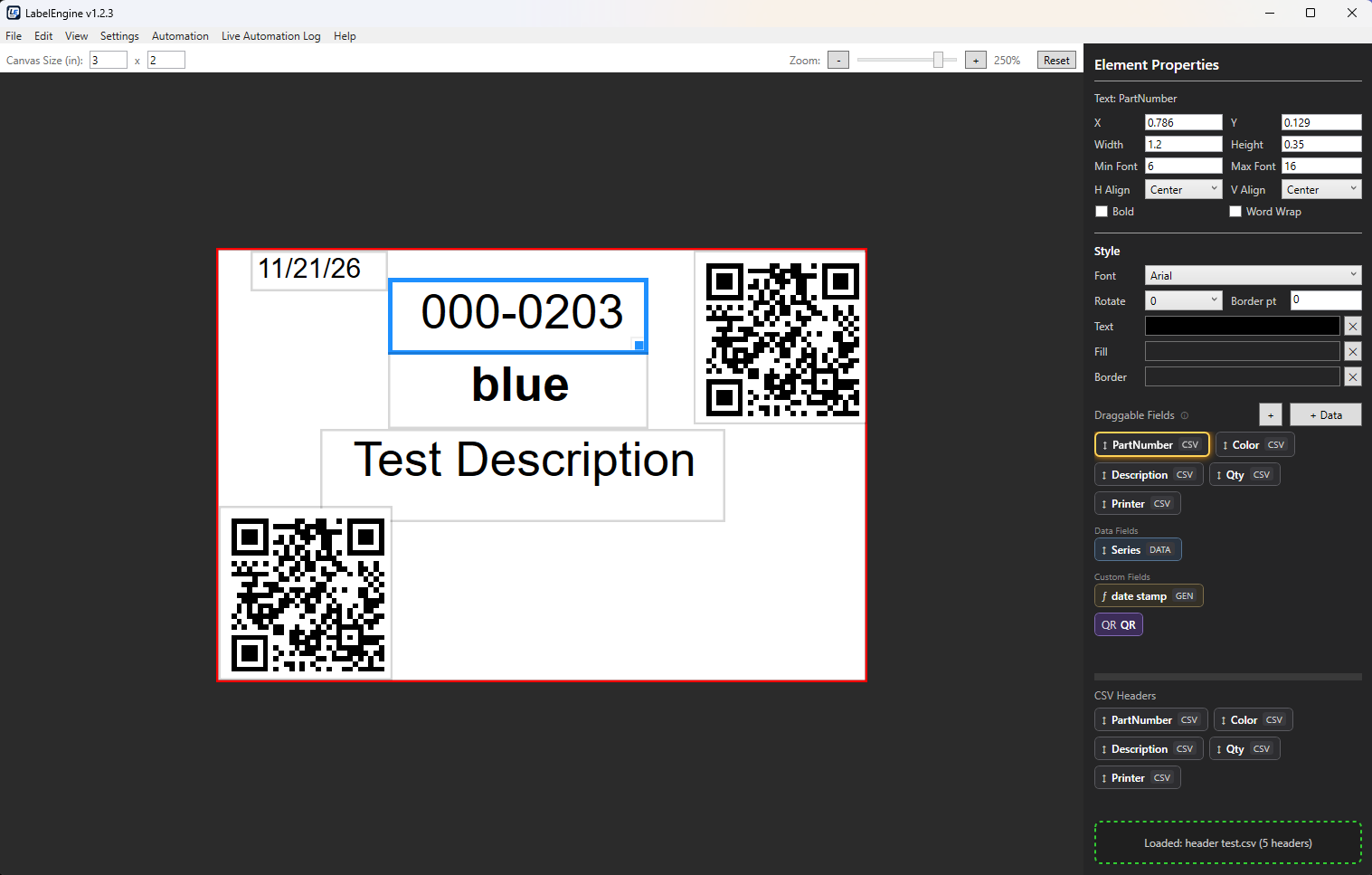
Drag-and-drop designer
Place fields on the label, and text sizes itself to fit its box. Borders, fills, colors, fonts and rotation for every field.
GS1 QR codes and Code 128
Build GS1 element strings (GS1 QR, GS1-128) from your fields, or plain-text codes from any mix of fields and text.
Your data, your columns
Drop in a CSV and map its columns to fields, copies and printers. Add print dates, times and fixed text as custom fields.
Rolls or sheets
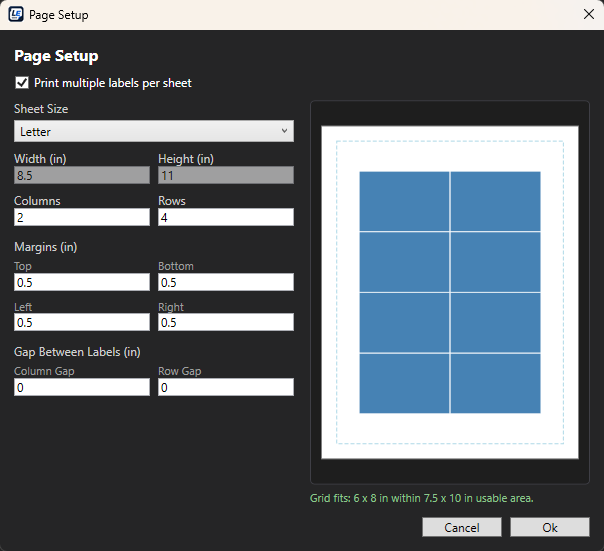
Print one label per page on a label printer, or lay labels out across Letter sheets, with a live preview of the layout.
Any Windows printer
Prints through Windows, so Zebra and non-Zebra printers work alike, with per-printer alignment calibration. No ZPL to write.
Image export
Save labels as PNG or JPEG at any resolution, exactly as they'd print.
LabelEngine Automation
Labels that print themselves.
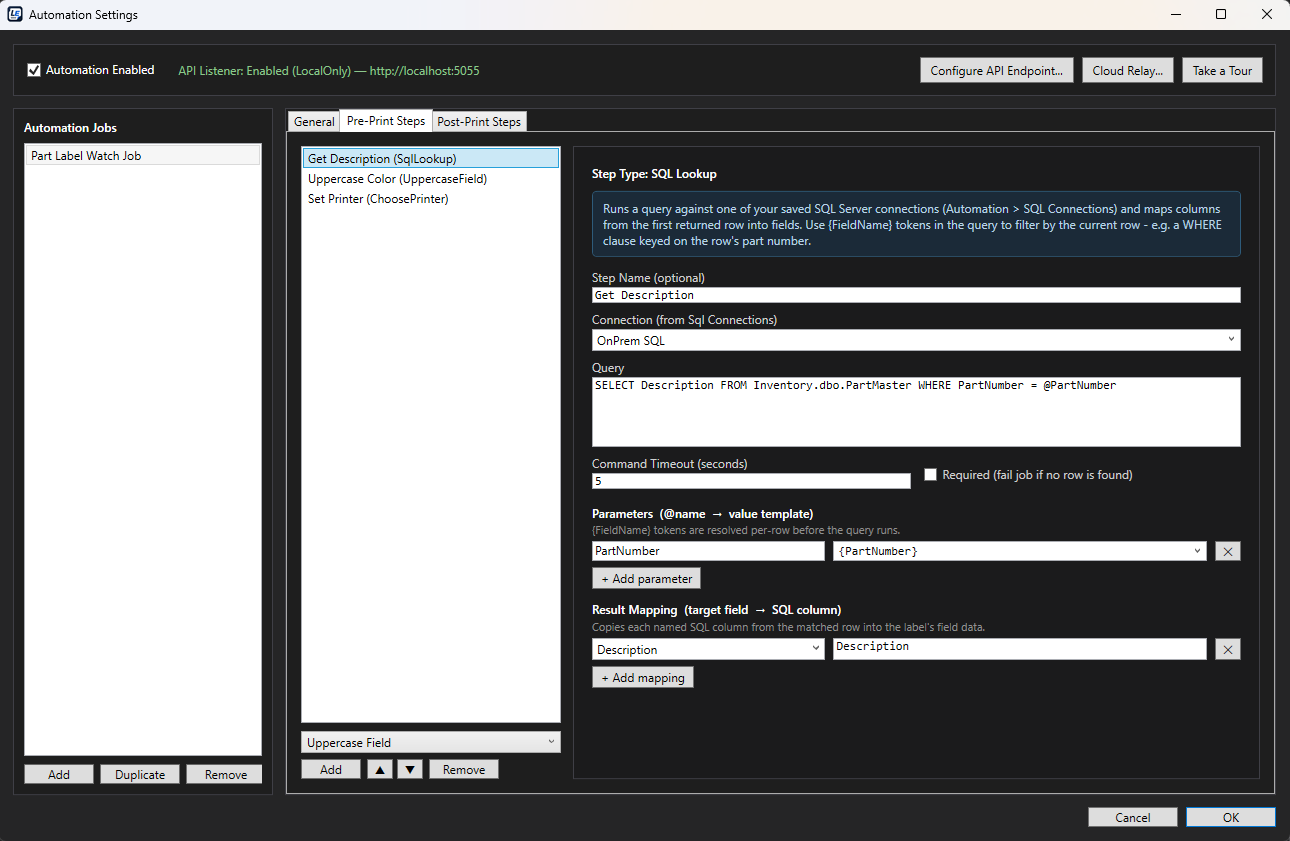
Automation runs as a Windows service, so jobs keep printing with nobody logged in. Set it up in the same app you design labels in. There's no scripting language to learn.
- Watch folders: drop a CSV in a folder and its labels print.
- Local REST API: your own systems send print jobs over HTTP, with an API key and optional IP allow-list.
- Steps before and after printing: SQL Server lookups, HTTP calls, Epicor Kinetic requests, field rules and pattern matching.
- Smart routing: choose the printer from the data, per row.
- Print or export: send jobs to printers, or save them as images.
Cloud Relay
Print from the cloud, without opening your firewall.
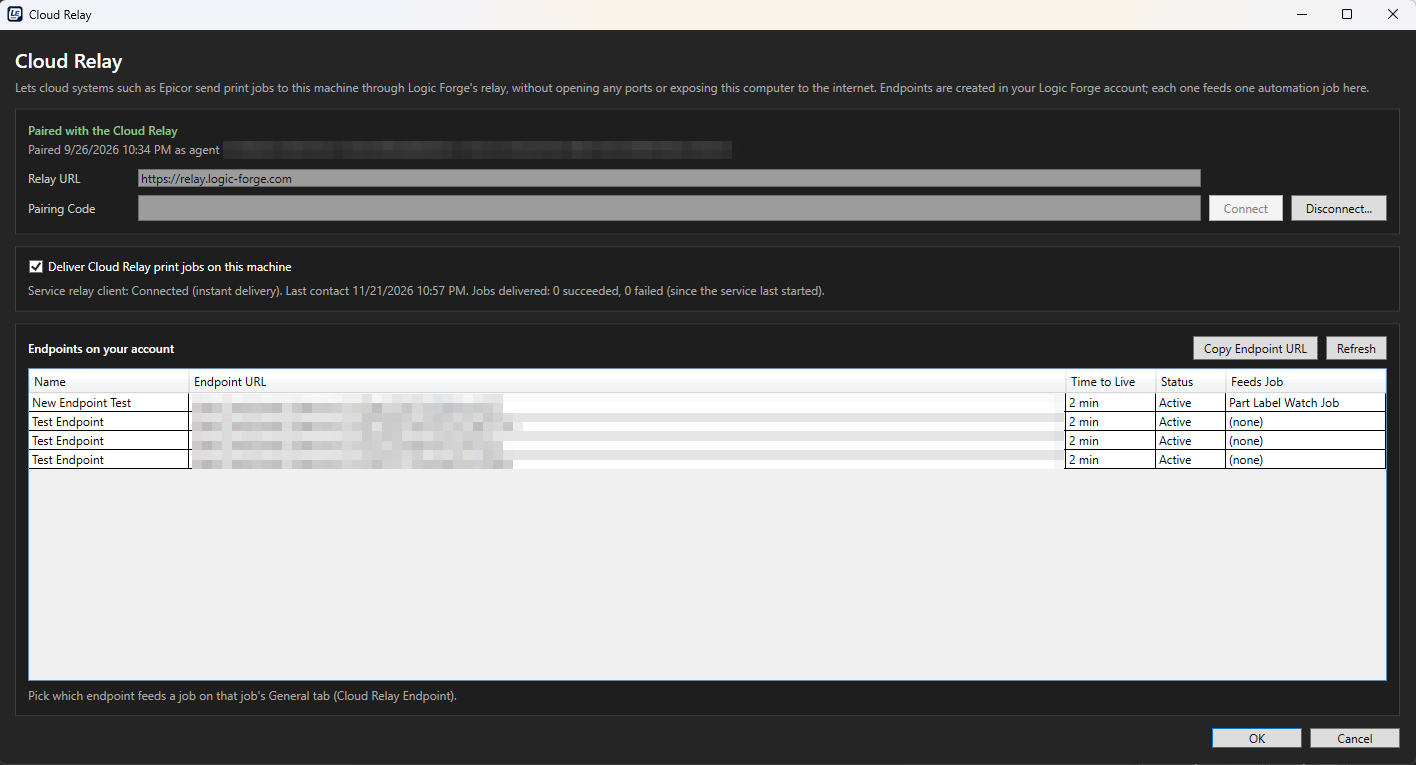
Cloud ERPs and web apps can't reach a printer inside your plant, and you shouldn't expose one to the internet. With Cloud Relay, they send print jobs to a secure endpoint we host, and LabelEngine collects them over an outbound connection. No inbound ports, no VPN.
- Prints in about a second, with a fallback that keeps polling if the instant connection drops.
- Built against duplicates: retried requests and re-deliveries are recognized, so a job isn't printed twice.
- Private by design: job data is encrypted, erased once delivered, and gone within 7 days.
- Included with an Automation subscription (10 endpoints), or added in packs to a perpetual license.
Built for the plant floor
Local-first, on purpose.
Works offline
After activation, the license is checked on your machine. An internet outage doesn't stop your printers.
Your files stay yours
Templates and settings live on your computers. You can always open and save them, even if a license ends.
Nothing to administer
No database server, no license server, no admin console. One installer, and updates install from inside the app.
One license per site
A license covers a whole facility: every user, workstation, server and printer there.
Editions and pricing
Buy it once, or subscribe.
Prices are per site, in US dollars, plus any applicable sales tax.
LabelEngine
Design and print labels.
- Label designer, GS1 QR and Code 128
- CSV data, sheet printing, image export
- Unlimited users, workstations and printers at the site
- Perpetual: 12 months of updates and support, then optional maintenance ($349 / year)
LabelEngine Automation
Everything in LabelEngine, plus unattended printing.
- Watch folders, local REST API and the Windows service
- SQL, HTTP and Epicor Kinetic steps, printer routing
- Annual subscription includes 10 Cloud Relay endpoints; more in packs of 5 ($199 / year)
- Perpetual: 12 months of updates and support, then optional maintenance ($999 / year)
Subscriptions renew yearly until cancelled, and include every update and new major version while active. See the license agreement and the refund policy.
How it works
From install to first label in an afternoon.
Install
One installer for Windows 10 or 11 (64-bit) or Windows Server. Nothing else to install.
Design
Load a sample CSV and drag its columns onto the label. A guided tour walks you through it.
Print or automate
Print from the app, or hand the job to a watch folder, your own API calls or Cloud Relay.
Questions
Good to know.
Do I need a special printer?
No. If Windows can print to it, LabelEngine can: thermal label printers like Zebra, plus laser and inkjet printers for sheet labels.
Does it need the internet?
Only to activate, check for updates and use Cloud Relay. Day-to-day printing and automation keep working offline.
What counts as a site?
One facility: a plant, warehouse or office, including a campus of buildings run as one. Each additional facility needs its own license.
What if a subscription ends?
You get a reminder before each renewal and a 7-day grace period. After that, printing stops until it's renewed, but your templates and settings are untouched, and you can still open and save them.
Ready to print labels without the overhead?
Start with LabelEngine. Add automation when you need it.